Turn a flat lay into a model shot.
The garment doesn't change.
Upload a flat lay or mannequin shot. Get model-on images, detail shots and product video in about three minutes. Prints, stitching and silhouette stay 95%+ consistent — only the body, skin and light are regenerated.
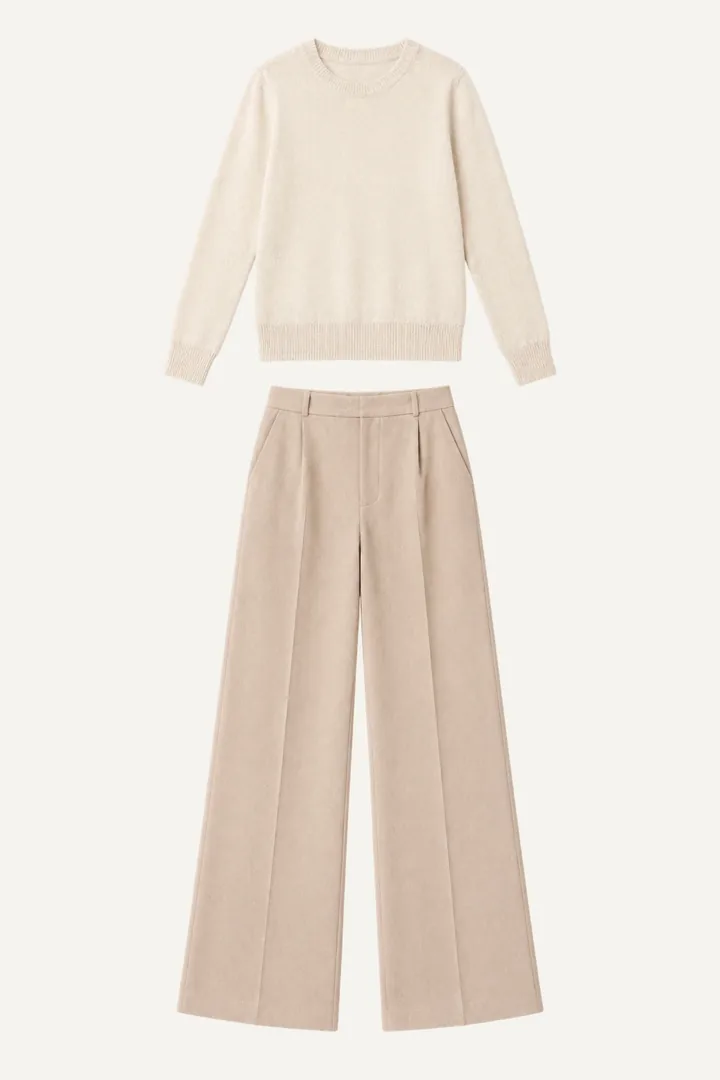
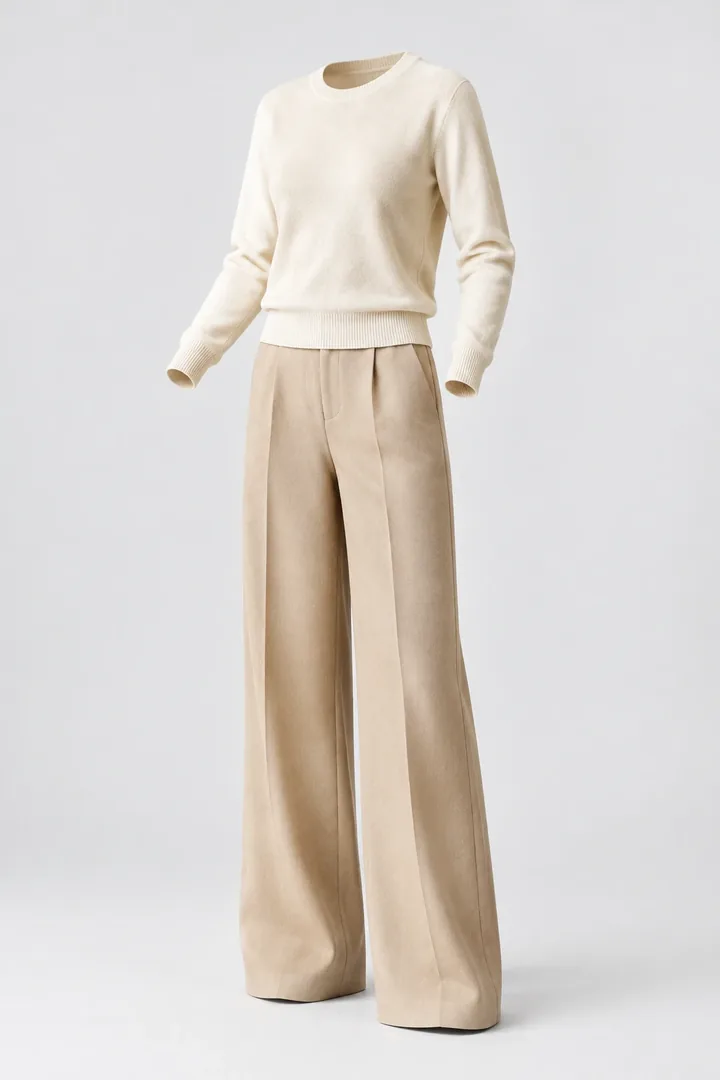
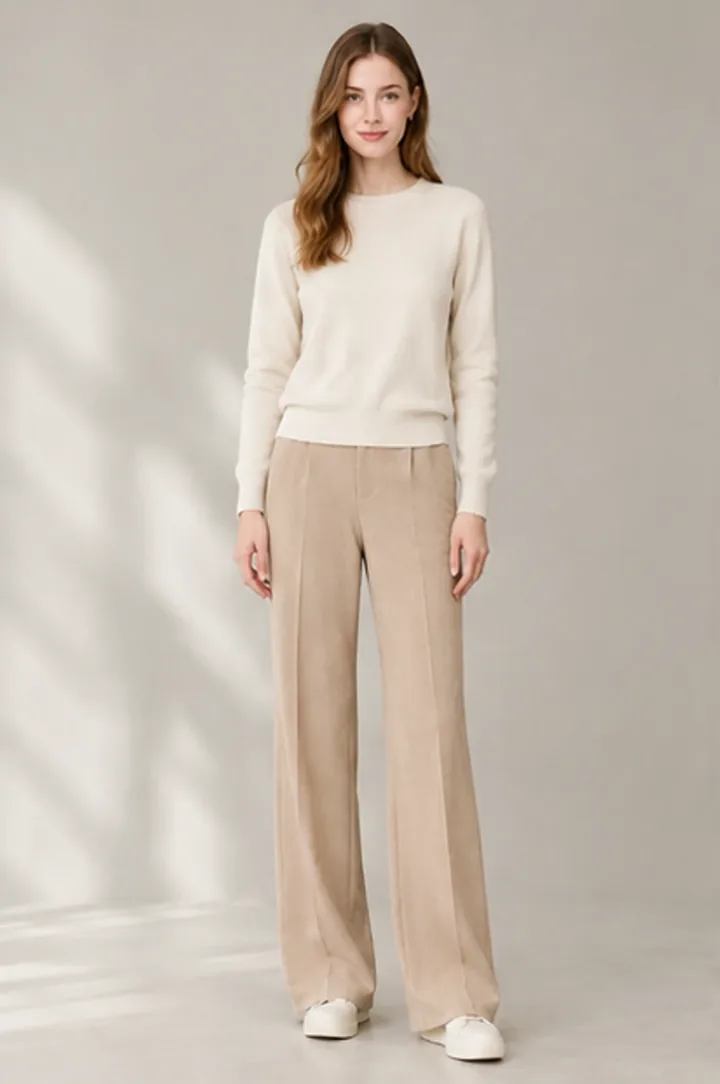
Most AI image tools redraw your product
They generate a plausible garment, not your garment. The print drifts a few millimetres. The stitching changes. The fabric becomes something smoother, shinier, cheaper-looking.
Buyers can't always name what's wrong, but they feel it. And when the parcel arrives, that feeling turns into a return.
The hard part of e-commerce imagery was never the model. It was keeping the product identical while everything around it changes.
Garment locked. Body regenerated.
The garment is a constraint, not a prompt
Prints, seams, buttons and silhouette are locked to the source image. The model is generated around them, not over them.
Only body, skin and light are recomputed
Pose, build and lighting are free variables. Everything that identifies your product stays fixed.
Measured, not claimed
Fidelity is checked per image on silhouette, print, stitching and colour. If it drifts, the image doesn't ship.
Three steps, about three minutes
Upload
A flat lay shot on a phone is enough. White or light background, garment laid out flat or on a mannequin.
Choose
Pick a model, a pose and a scene. Or use a template to match an existing listing style.
Export
Main image, detail images, up to 20 pose variants, and short product video. Ready for the listing.
Five production domains
Model-on and detail shots
Flat lay to model, pose variants, background replacement, batch crop.
Short product video
Turn a still into a moving shot. Useful for TikTok Shop and Reels.
Template and re-layout
Extract the layout of a reference image and refill it with your own product.
Utility pass
Localisation, text redraw, upscale, format conversion.
Listing text
Title, bullets and description generated from the same product facts.
What it won't do
It will not replace a brand campaign shoot. If you are shooting a hero image for a lookbook, hire a photographer.
Material close-ups still need real shooting. AI is not reliable enough on fabric texture at macro distance, and that is exactly the shot buyers use to judge quality.
Complex hardware with fine internal structure still struggles. If the product is judged on tiny mechanical details, shoot it.
The honest framing: this replaces the mid-tier SKUs you keep postponing, not the twenty that define your brand.
Pricing
Pay per image, roughly three to six US cents. No subscription, no seat fee, no minimum.
A full SKU set — main image, four detail shots and one video — typically lands under half a dollar.
FAQ
Does it change my garment?
No. Prints, stitching and silhouette are locked to the source. Only body, skin and light are regenerated.
What input do I need?
A flat lay or mannequin photo. A phone shot on a light background is enough.
Do I need a subscription?
No. Pay per image. Credits never expire.
Is there an API?
Yes — REST endpoints plus MCP, so you can call it from an agent or a pipeline.